Aiscovery Scout · our agent
Our agent looks at your store the way each AI agent does.
Aiscovery Scout reads each key task as a screenshot, as page text, without scripts and through robots.txt, then shows you the traps before an agent runs into them.
Northwind
- New
- Men
- Women
- Sale
Search for:Search
Court Low Sneaker
75.00 Add to cart
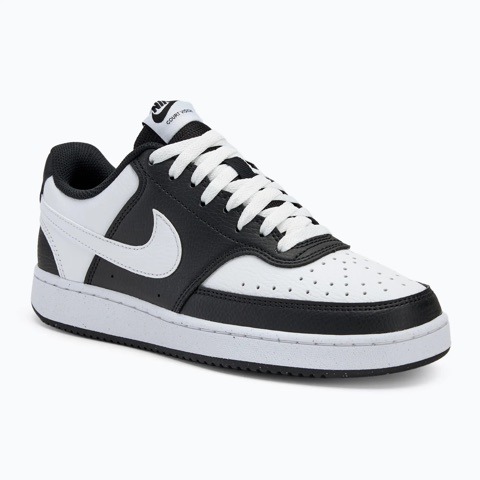
Example data, not a real store.
In your dashboard: Possible traps for AI agentsAvailable
The traps Scout looks for
Each one comes with the evidence Scout saw, the agents it affects and who should fix it.
- Page textPage without scripts
The fact isn't on the page
The price, stock or delivery cost a key task looks for is missing from the page, or has changed.
AffectsAll agentsFix on your websiteUpdate the key task - Page without scripts
No path by links
The page an agent needs isn't linked from where the task starts, or a link on the way is broken.
AffectsAll agentsFix on your website - robots.txt
Page files blocked
robots.txt blocks the styles and scripts a page needs, so a browser that follows it draws the page broken.
AffectsComputer use agentsFix on your website - Screenshot
The screenshot shows less
One element fills the first screen, or every page looks the same, so an agent working from screenshots has nothing useful to click.
AffectsComputer use agentsFix on your websiteOn our side - Task rulesrobots.txt
Rules that close the way in
Search is the main way to find the product, but the task rules don't let agents type, or robots.txt closes search.
AffectsAgents that type in searchChange the task rulesFix on your website - Task rules
Not enough time
An agent usually needs longer than the key task allows, so it would stop halfway through.
AffectsAgents that need longerChange the task rules - Coming later
Still being calibrated
Pop-ups over the price, prices only in an image, buttons without names, content inside frames, bot walls and duplicate buttons. We show them once real agent runs back them up.
How Scout works
The same four moves on every key task, so a trap means the same thing next time.
- Step 1Read the key-task pathScout takes a key task and the pages it should pass through, inside the rules the store owner approved.
- Step 2Look through each agent's eyesOn every page it takes a screenshot, reads the page text, loads the page without scripts and checks robots.txt and the task rules.ScreenshotPage textPage without scriptsrobots.txt
- Step 3Evidence, owner and fixEach trap shows what Scout saw, which agents it affects and who should act: your website, the key task, the task rules or us.
- Step 4Real agent runs confirm or refuteWhen agents try the same task, their runs show whether Scout was right: a real agent run failed here too, or agents got past it.A real agent run failed here tooAgents got past it
Two jobs on the same store.
A shopper's agent and Scout look at your pages for different reasons. You need both.
A shopper's agenttries the task once.
- Reads the page one way: its own
- Follows one path to an answer
- Shows where it got stuck, after it happened
Aiscovery Scoutchecks every way agents read the page.
- Sees each page the way different agents do
- Walks the key-task path page by page
- Points at the trap, who it catches and who fixes it, before a run
Scout doesn't replace real agent runs. It shows where to look, and the runs show whether it was right.
Read-only, inside the rules you approved.
Scout reads public pages on the key tasks the store owner approved. It reads robots.txt first, goes one page per second and stops before login, cart, checkout and payment. It never logs in, fills in forms or pays.
If a bot wall or a firewall stops it, Scout says Couldn't check and never tries to get around it. Your agent test runs come first: Scout waits while one is running on your site.
Scout stops before
- Login
- Cart
- Checkout
- Payment
- Forms that send data
- Read-only
- Only what the owner approved
- robots.txt first
- One page per second
- Never logs in or pays
What runs today
Scout runs for launch partners now. Everything else is labelled.
- Scout on your key tasks, for launch partnersAvailable
- Traps with evidence, affected agents, owner and fixAvailable
- More traps: pop-ups, prices in images, unnamed buttonsComing later
- Weekly Scout with alertsComing later
- Choosing the AI model that double-checks screenshotsComing later
Questions about Scout
Is Scout a score for my store?
No. Scout gives no single score. It shows concrete traps, each with evidence, the agents it affects and who should fix it. Clear means Scout found no trap in that lens, not that agents will succeed.
Does Scout replace real AI agent test runs?
No. Real agents try your key tasks and show what happens. Scout looks first, so you can fix the obvious traps before you spend a test run on them, and the runs show whether Scout was right.
Does a Scout check use up my test runs?
No. Scout runs separately and doesn't count against your plan's monthly test runs.
What if Scout can't see a page?
If a bot wall, a firewall or robots.txt stops it, Scout says Couldn't check for that page. It never gets around protection, and it never counts that against your site.
See the traps on your own store.
Leave three details. We run Scout on your key tasks first, then walk you through what it found.
Have a real workflow to test now? Apply as a launch partner